9 Digital Scrapbooking Ideas for Beginners (Start in Your Browser)

It's a Sunday in June, you've got a phone full of summer photos, and you want to do something with them besides let them sink down the camera roll. That's exactly where most people start.
The best scrapbooking ideas for beginners are the simple ones: pick one moment, use three or four photos, lean on a ready-made layout, and stick to a small set of colours. Working digitally makes the first page easier still, because you can drag a photo, nudge it, undo, and try again with nothing to throw away. Below are nine easy page ideas, ordered from "first-ever page" up to "you've got the hang of this," plus the one design habit that makes any of them look finished.
TL;DR
- Start with one photo, not twenty. A single hero photo with a short caption is a real page, and it's the fastest win for a first-timer.
- Group photos in odd numbers. Three or five photos read as balanced; even-numbered grids can feel stiff until you're comfortable.
- Stick to three colours. Pull two from your photo and one accent. A small palette is the quickest route to a page that looks intentional.
- Use a template to begin. Starting from a layout in the editor means the spacing is already sorted; you just swap in your own photos.
- Digital removes the fear of "ruining" it. Every move is undoable, so beginners experiment more and finish more pages.
How do you start scrapbooking for beginners?
Start by choosing one small moment rather than a whole event. A single afternoon, one birthday, a weekend away. Open a blank or template-based page, drop in two to four photos, add a title and a sentence or two of text, and stop there. Finishing a small page beats abandoning an ambitious one, and momentum is the real skill you're building.
Memory keeping is having a genuine moment, too. The wider arts and crafts market is set to grow from $47.35 billion in 2025 to $50.7 billion in 2026, a 7.1% annual rate, with researchers crediting the mental-health benefits of crafting and more home-centred routines, according to The Business Research Company. Reporting on 2025 trends also points to Gen Z and Millennials driving a return to scrapbooking as people look for something slower and more hands-on than scrolling.
Here's the digital-first version of getting started, the part most beginner guides skip:
- Pick a template instead of a blank page. The hardest part of a first layout is deciding where things go. A template answers that for you.
- Turn on snapping and alignment guides. In the editor, these let photos click into a neat row or grid without you eyeballing every edge.
- Work in layers. Background, then photos, then text and small graphic elements on top. Keeping them separate means you can move one thing without disturbing the rest.
9 scrapbooking ideas for beginners (easiest first)
Each of these is a single page you can build in one sitting. They're ordered by effort, so the first few are genuinely beginner-proof and the later ones add a little more once you're confident.
| # | Page idea | Photos | Why it's beginner-friendly |
|---|---|---|---|
| 1 | One-photo hero page | 1 | A single strong photo plus a short title. The fastest finished page you can make. |
| 2 | Three-photo summer Saturday | 3 | Three photos in a row, one caption. Odd numbers balance themselves. |
| 3 | About-me intro page | 1–2 | A photo and a few lines on who you are right now. Great first page in a longer album. |
| 4 | Quote + photo | 1 | One photo, one line you love. Lots of breathing room, very little to arrange. |
| 5 | Pocket grid | 4–6 | Evenly sized photos snapped into a tidy grid. The alignment guides do the work. |
| 6 | Day-trip page | 3–5 | One outing told across a few photos and a short note about where you went. |
| 7 | Monthly highlights | 4–6 | The best handful of shots from one month. Teaches you to choose, not include everything. |
| 8 | Then-and-now | 2 | Two photos side by side from different dates. Simple layout, big emotional payoff. |
| 9 | Photo cluster | 5–7 | A slightly overlapping group with one photo on top. Your first taste of layering. |
If you want a deeper run at multi-photo pages, the layouts in 9 photo collage ideas for a wall translate straight to a digital page once you're past the basics.
What is the rule of three in scrapbooking?
The rule of three means repeating an element in three spots so your eye travels across the page. Place the same colour, shape, or small graphic at three points and the imaginary line between them forms a triangle, which keeps the layout feeling balanced instead of lopsided. It's the single most useful habit for making a beginner page look designed.
Three easy ways to use it on a digital page:
- Repeat one accent three times. A small star, leaf, or dot placed at three points around your photos. Copy and paste the same element so they match exactly.
- Limit yourself to three colours. Pull two shades from your photo and add one accent. Fewer colours almost always read as more polished.
- Group photos in threes. When you have several shots, a set of three sits more comfortably than two or four.
There's a close cousin worth knowing: the rule of thirds, which divides the page into a three-by-three grid and suggests placing your focal point on one of the grid lines or intersections rather than dead centre, as Uniquely Creative explains. Turn on the grid overlay in the editor and you can line your hero photo up against it in seconds.
Build your first page in the editor (step by step)
This is the recipe for the three-photo summer Saturday page, idea #2. It takes about ten minutes and teaches the moves you'll reuse on every other layout.
1. Open a template
In the editor, start from a simple three-photo layout rather than a blank canvas. The photo boxes and spacing are already positioned, so you're swapping in your own images instead of guessing at margins.
2. Drop in three photos
Add three shots from the same afternoon. Drag each one into a box; it scales to fit. Keep them odd-numbered and roughly the same crop so the row reads evenly.
3. Set a three-colour palette
Pick two colours from your photos, say a warm sienna and a soft poppy-orange for summer, and one quiet accent. Apply those to your title, background, and any small graphic. Resist adding a fourth.
4. Add a title and one line of text
A short title up top, a single sentence underneath about the day. Use the alignment guides so the text sits flush with your photo row. Then stop. A finished small page is the goal, not a crowded one.
Common beginner mistakes (and the easy fix)
Most first pages go sideways for the same few reasons. None of them are hard to avoid once you know the pattern.
- Trying to fit every photo. A page with twelve photos has no focal point. Choose three to five and let the rest wait for another page.
- Too many colours. Five or six colours fight each other. Drop back to three and the page settles immediately.
- Centring everything. Dead-centre layouts feel flat. Nudge your focal photo onto a rule-of-thirds line for instant movement.
- Skipping the words. A date and one sentence is what your future self will actually want. Even a single line beats none.
- Waiting to feel "ready." Starting from a template removes the blank-page freeze. Pick one and swap your photos in.
FAQ
How do you start scrapbooking for beginners?
Start small: one moment, two to four photos, a template, and a three-colour palette. Build a single page in one sitting and finish it. Working digitally helps because every move is undoable, so there's no pressure to get it right the first time.
What are some easy scrapbook ideas?
A one-photo hero page, a three-photo highlight of one afternoon, a quote paired with a single image, or an about-me intro page. Each uses just a few photos and a simple layout, which is what makes them quick wins for a beginner.
What are some common mistakes to avoid in scrapbooking?
The big ones are cramming in too many photos, using too many colours, and centring everything. Limit yourself to three to five photos and three colours per page, and place your focal point slightly off-centre using the rule of thirds.
Is digital scrapbooking worth it for beginners?
For most beginners, yes. There's nothing to buy or store, you can undo any change, and templates handle the spacing so your first pages look balanced. It's a low-stakes way to learn what you like before committing time to a longer album.
Start your first page today
You don't need a plan for a whole album. You need one page about one small moment, and most people find the second page comes easily after that. Open the editor, pick a three-photo template, and try the summer Saturday layout above. When you're ready for themed pages, birthday scrapbook ideas and scrapbook ideas for couples are good next steps, and if you're still weighing tools, here's how to pick a digital scrapbooking program.
Related Kits
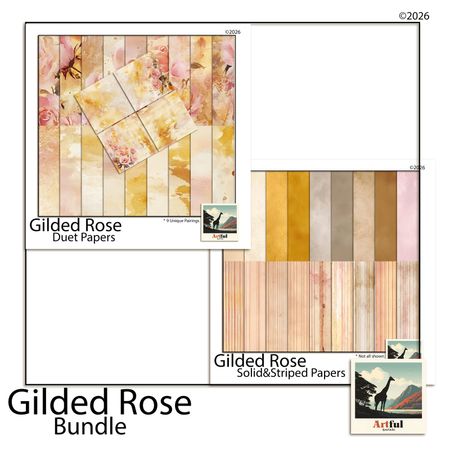
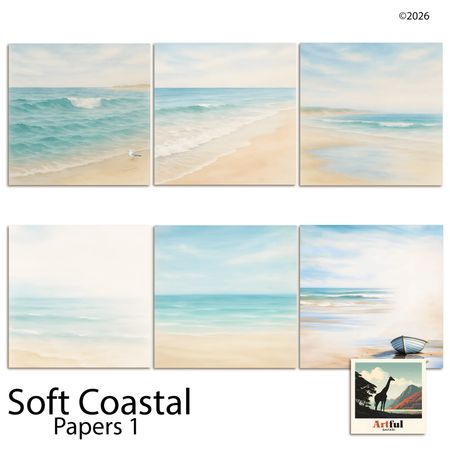
Kits from creators in our marketplace that match this article.

Related guides
Digital Scrapbooking for Beginners: The Complete Guide (2026)
The complete beginner's guide to digital scrapbooking: pick free software, set up a 12×12 page, add photos and journaling, and finish your first page today.
5 First Page Scrapbook Ideas (When You Don't Know Where to Start)
First page scrapbook ideas for when you're stuck at page zero: 5 specific starting points, what to write, and a 30-minute plan to get page one done.
What Is a Digital Scrapbooking Studio? (And Why It's Not Just Photo Editing)
What Is a Digital Scrapbooking Studio?
Vision Board Maker: Build a Digital Board in 15 Minutes
A vision board maker turns vague goals into a board you actually look at. Compare 5 free tools, then build your own digital board in 15 minutes.