Pages and Spreads
Build multi-page projects with consistent design across spreads.
2 min read
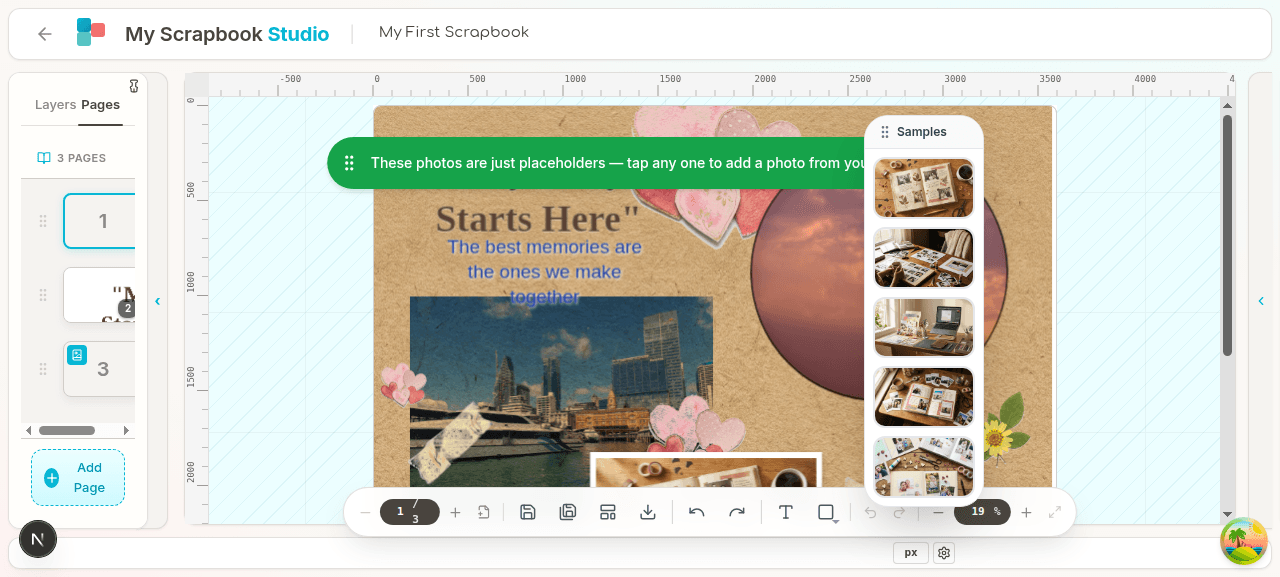
A scrapbook is rarely one page. This doc covers building multi-page projects.
Pages#
Every project starts with one page. Add more from the page manager at the bottom of the editor (collapsible — drag the divider to show it).
In the page manager:
- + Add page — adds a blank page after the current one.
- Drag a page thumbnail to reorder.
- Right-click (or three-dot menu) for:
- Duplicate
- Delete
- Move to top / Move to bottom
- Set as cover
Click a page thumbnail to switch to that page.
The cover page#
Most albums have a cover. Set any page as the cover via right-click → Set as cover. The cover:
- Shows up as the project thumbnail on your dashboard.
- Is what gets shown when you preview or share a project.
- Can be a different size than other pages if you want (8×10 cover with 12×12 inside pages, for example).
Spreads#
A spread is a left-right page pair, the way a printed album opens. The spread manager (bottom panel, separate tab from the page list) shows your album as opened-book pairs.
In the spread manager:
- Drag pages onto a spread to link them as left + right of one spread.
- Reorder spreads by dragging.
- Lock a spread — prevents accidentally moving its pages.
- Add new spread — creates a new blank pair.
- Unlink a page from a spread — it goes back to being a standalone page in the page list.
Spreads are useful when you're designing for print as a real photo book — the layout decisions across the gutter matter, and seeing both pages together helps.
Editing across a spread#
Click the left or right page in a spread to switch the canvas to it. Place objects normally — they apply only to that one page. There's no "object that spans the gutter" feature; designing across the gutter means placing pieces on each side that line up.
When to use pages vs spreads#
| Use case | Mode | |---|---| | Single-page project (one greeting card, one art print) | Pages, just one | | Multi-page album for digital viewing | Pages | | Multi-page printed album that opens like a book | Spreads | | Mixing — some standalone pages, some paired | Both, in the same project |
Next#
09 — Saving, Exporting, Printing — get your work out into the world.